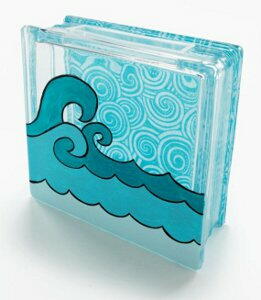
Catch a Wave Glass Block
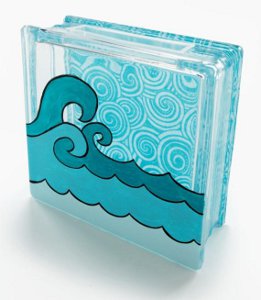
Use a glass craft block to create an interesting dimensional effect with fabric decoupaged to the back and waves painted on the front. The texture of the glass adds interest to the finished project.
Materials:
- KraftyBlok™, 8" x 8" square
- Mod Podge Gloss
- FolkArt Acrylic Colors – Jamaican Sea, Patina, Aqua, Licorice
- Fabric, coordinating – at least an 8" x 8" square
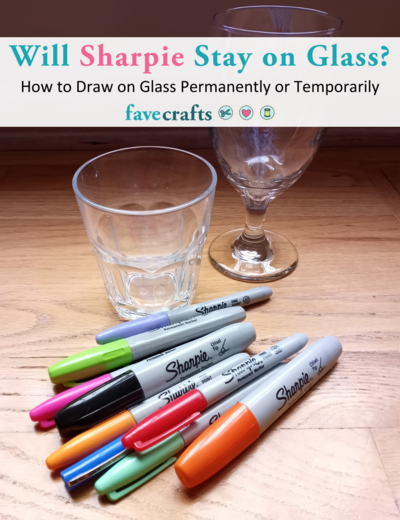
- Black Sharpie®
- Flat paintbrush
- Liner brush
- Pencil
- Scissors or craft knife and mat
Instructions:
- Prepare fabric.
- Cut the fabric to fit the back of the KraftyBlok and adhere down using Mod Podge. Allow to dry for 15 – 20 minutes. Coat the fabric on the back of the block with Mod Podge and allow to dry.
- Flip the block over on its back with the top facing you. Use a pencil to loosely draw the wave shapes on the front of the block. The pencil lines will be covered by the paint.
- Using the Aqua, paint the top wave. Allow to dry. Paint the second wave with Patina and the very bottom wave with Jamaican Sea. Allow to dry.
- Outline waves with your black Sharpie and allow to dry for 24 hours before using.
Find this and 11 other great decoupage crafts in our FREE "Quick and Easy Decoupage" eBook.
Read NextSpotify Glass Art
Your Recently Viewed Projects
Thanks for your comment. Don't forget to share!


Report Inappropriate Comment
Are you sure you would like to report this comment? It will be flagged for our moderators to take action.
Thank you for taking the time to improve the content on our site.